
A smarter assistant: better descriptions, workflow setup, and feedback
Improve your field and class descriptions with one click, let the assistant configure your project workflow, and help the assistant get better by rating its answers.
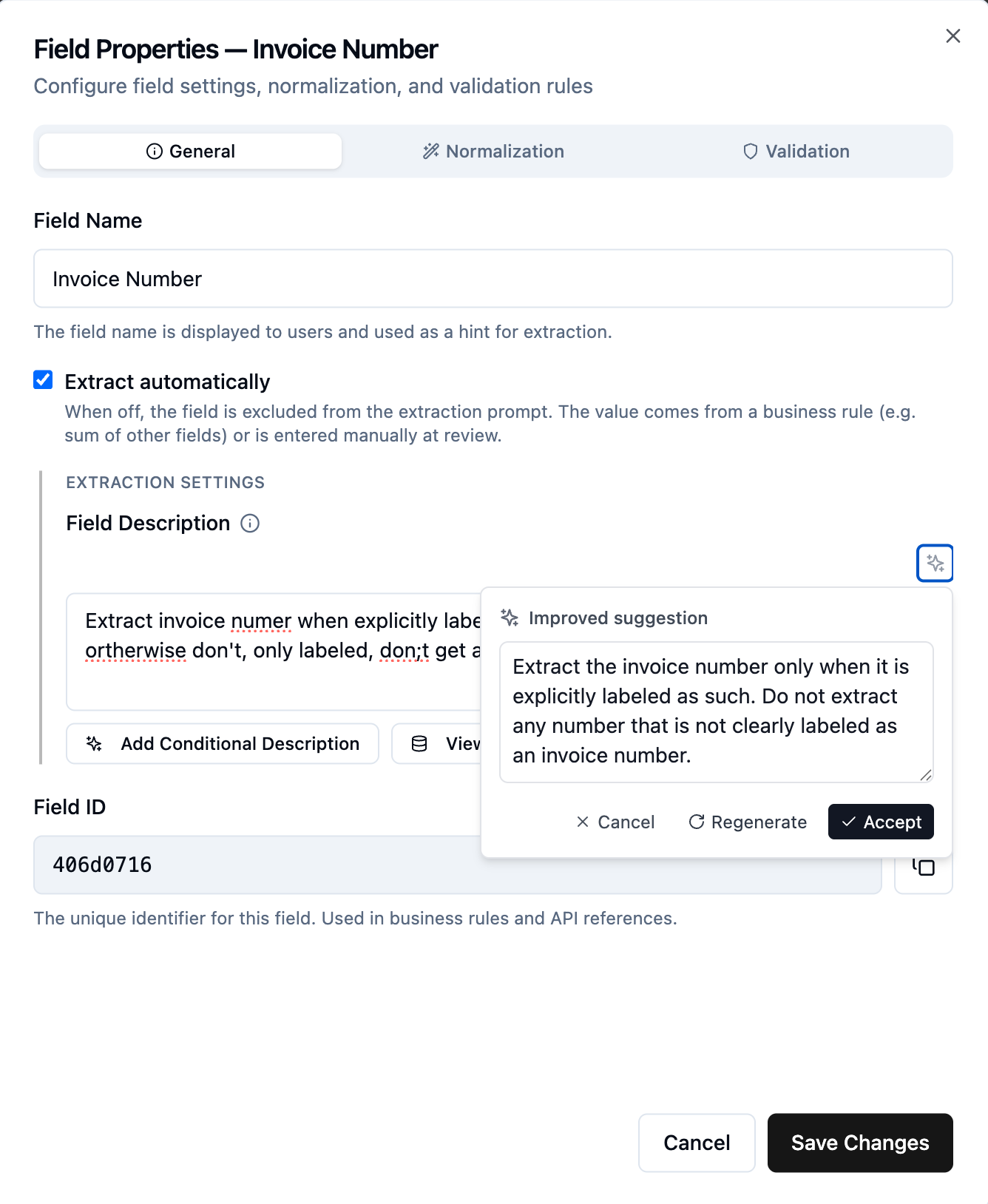
Improve descriptions and guidelines with one click
Wherever you write instructions for the AI, you will now see a small sparkle button that suggests a clearer, cleaner version. It works on field descriptions, document class descriptions, and the split, classification, and extraction guidelines. Click it to get an improved draft, then accept it, regenerate, or cancel and keep your original. It is a quick way to fix typos, tighten wording, and make your prompts easier for the AI to follow.
The assistant can configure your workflow
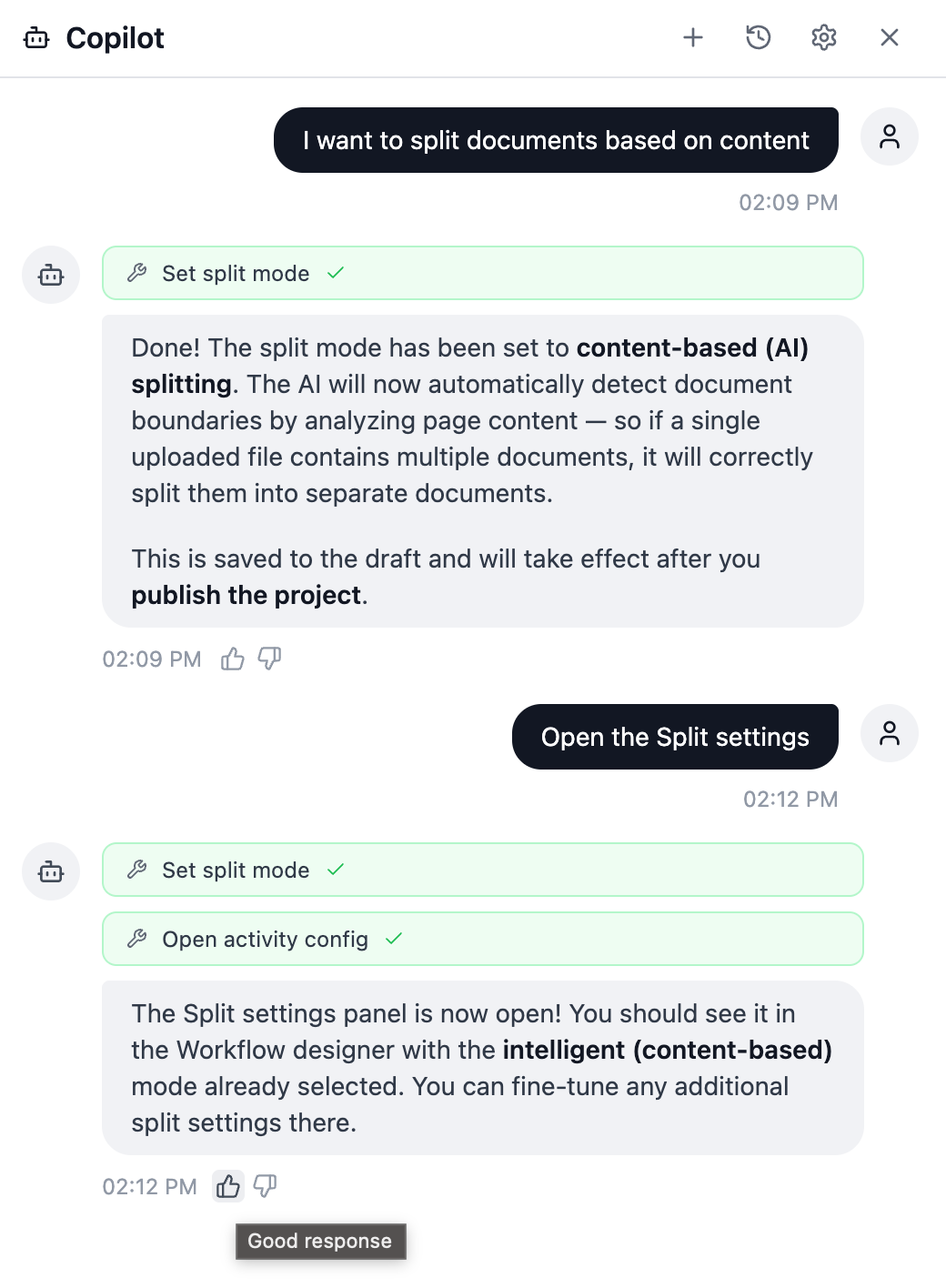
The assistant can now do basic configuration of your project workflow by chat. For example, ask it to switch to content-based splitting so a single uploaded file is automatically separated into individual documents, or ask it to add a review step for exceptions, so transactions that reviewers reject get routed for a second look instead of being dropped. This is another step towards setting up your project by asking rather than clicking.
Help the assistant get better, and let it guide you
We are investing heavily in the assistant, and your input directly shapes it:
- Conversations help us improve. In the public cloud, assistant conversations are stored for 90 days unless you opt out in the assistant settings. We use them to understand what works and what should be better.
- Rate the answers. Give any response a thumbs up or thumbs down. Positive ratings reinforce what is working, and negative ones point us straight at what to fix.
- It can guide you. The assistant has built-in skills, so it can walk you through setting up a project step by step.
Please do use the assistant and leave ratings, it genuinely helps. It can be frustrating when it gets something wrong, but those issues are usually fixed within a day or two.
Want updates like this by email?
Occasional highlights, straight to your inbox. Unsubscribe anytime.