
Archival PDF/A export, OCR data in exports, and a cleaner review screen
Export to archival PDF/A, get OCR words and image transforms in JSON and XML for bounding-box overlays, tidy up the review screen with collapsible groups and read-only or hidden fields, and build catalogs on the fly. The assistant can set all of it up for you.
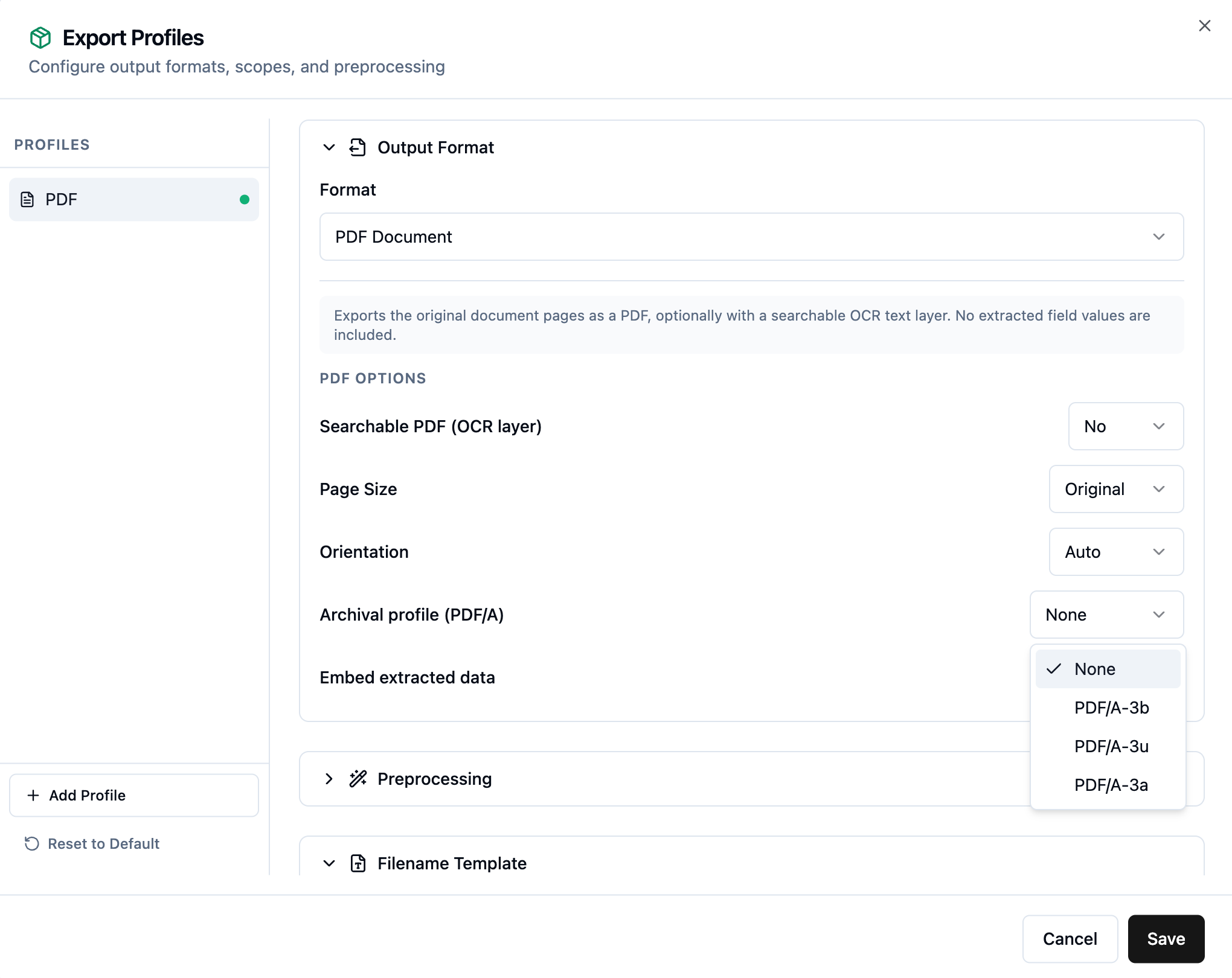
Archival PDF/A export
Export profiles can now produce archival PDF/A files for long-term retention. Choose the level that fits your compliance needs: PDF/A-3b for visual fidelity, PDF/A-3u to also guarantee searchable Unicode text, or PDF/A-3a for full tagged, accessible structure. You can still embed a searchable OCR text layer and the extracted data alongside the pages.
See the PDF output options for details.
OCR data and bounding-box overlays in your exports
Your OCR results now travel with your data. JSON and XML exports can include per-page OCR words, and there is a new JPG export of the page image. Each export also carries the image transform information needed to line up field and OCR word bounding boxes with the original page, so you can build your own overlay or highlight view on top of the exported image.
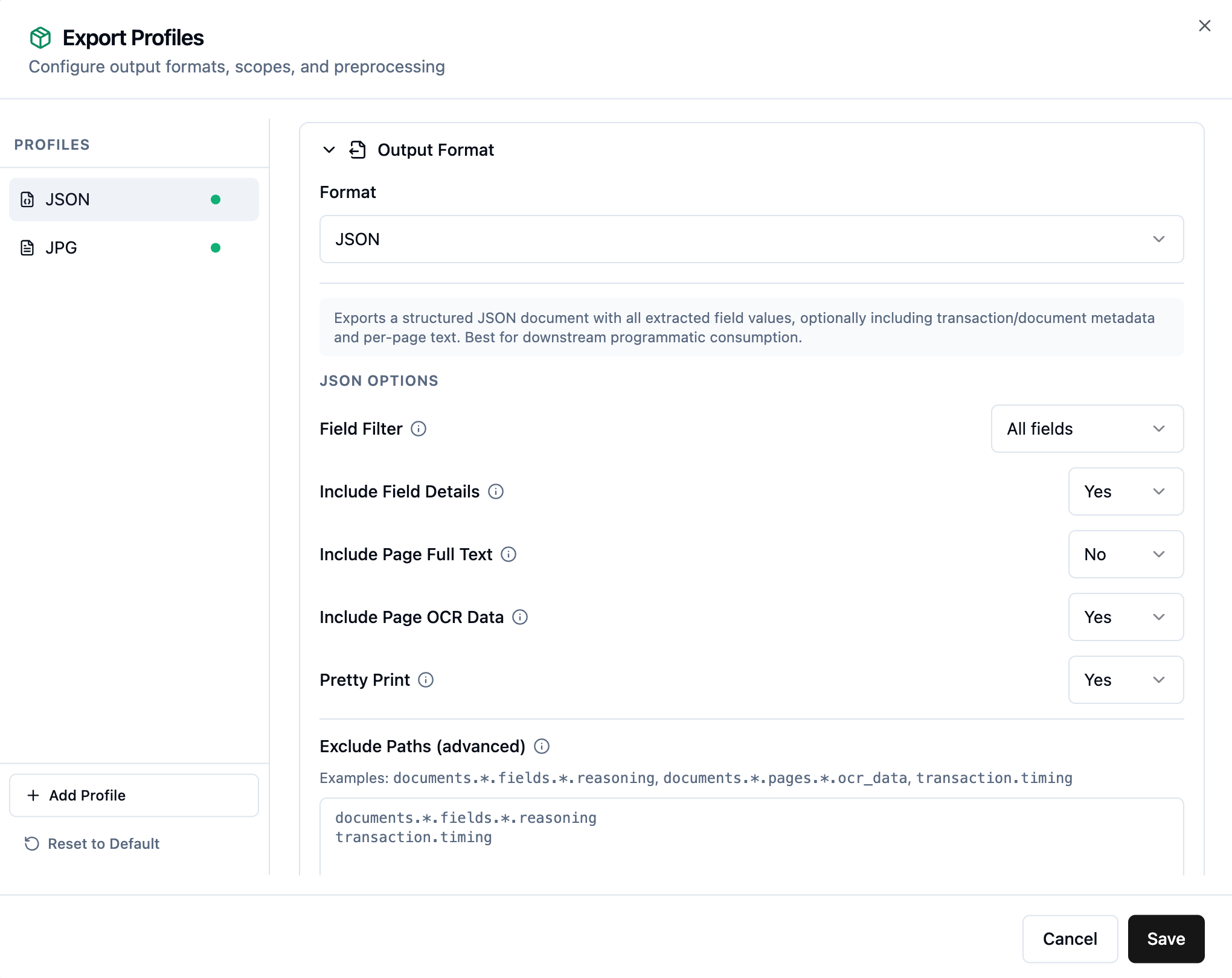
See the OCR and fields guide for the exact shape of the data.
A cleaner review screen
Two changes make the transaction viewer easier to work in:
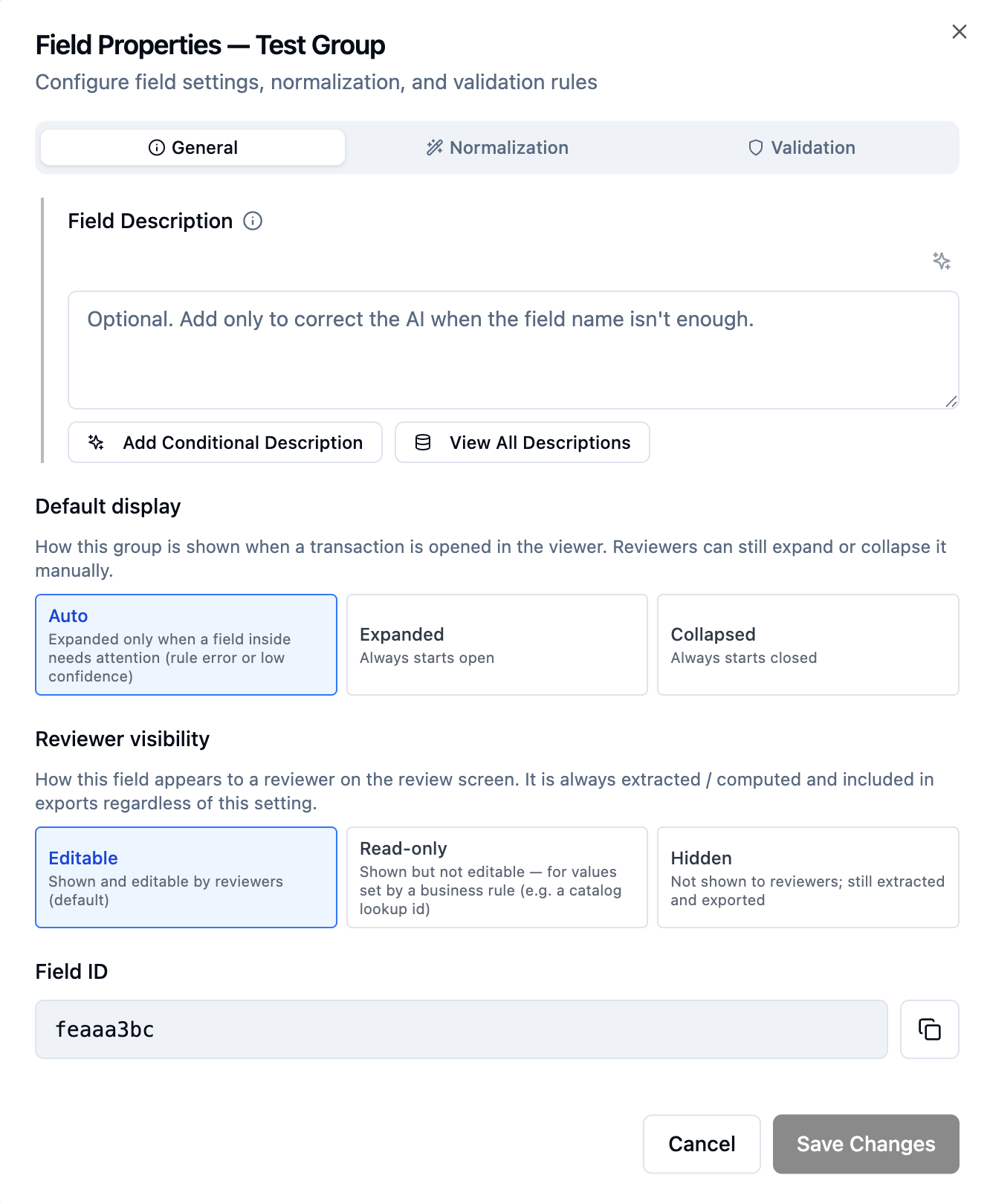
- Collapsible groups. A field group can start collapsed, expanded, or set to open automatically only when something inside needs attention, such as a rule error or a low-confidence value. Reviewers can still expand or collapse any group by hand. See default display for groups.
- Read-only and hidden fields. A field can be shown but not editable, which is ideal for values set by a business rule such as a catalog lookup id, or hidden from reviewers entirely while still being extracted and exported. See reviewer visibility.
Build catalogs on the fly
The data transformation step can now add records to a catalog as documents flow through, so you can collect reference data automatically instead of loading it up front. For example, register unknown vendors the first time you see them and reuse them on later documents. See the register unknown vendors example.
Everything above, set up by the assistant
You do not have to configure any of this by hand. The built-in assistant can set up your export profiles, field visibility and display, catalog collection, and more. Describe what you want in plain English and it makes the change.
For self-hosted deployments: a system administration CLI
Self-hosted deployments get a system administration CLI and a matching assistant skill, so you can administer DocAI Fabric by asking your coding assistant, for example Claude Code. Use it to configure SMTP for invites and password resets, and to find and read your application logs. More system administration commands are on the way. See the system administration guide.
Want updates like this by email?
Occasional highlights, straight to your inbox. Unsubscribe anytime.