
What's New
DocAI Fabric ships continuously. Every two weeks we write up what became generally available and the notable new previews. Subscribe to get it by email.
Prefer a feed? RSS
- Feature
Italian interface, rules and conditions written by Copilot, model performance measurement, and a Security page
Work in Italian, describe a business rule, a transformation, or a workflow condition in plain words and let Copilot write the code, measure how much load a model you host yourself can take and size your deployment from it, and see your tenant's security posture, audit log, and live sessions in one place.
- ✓ The interface is now available in Italian, the first step of a localization programme that will bring more European languages over the coming months.
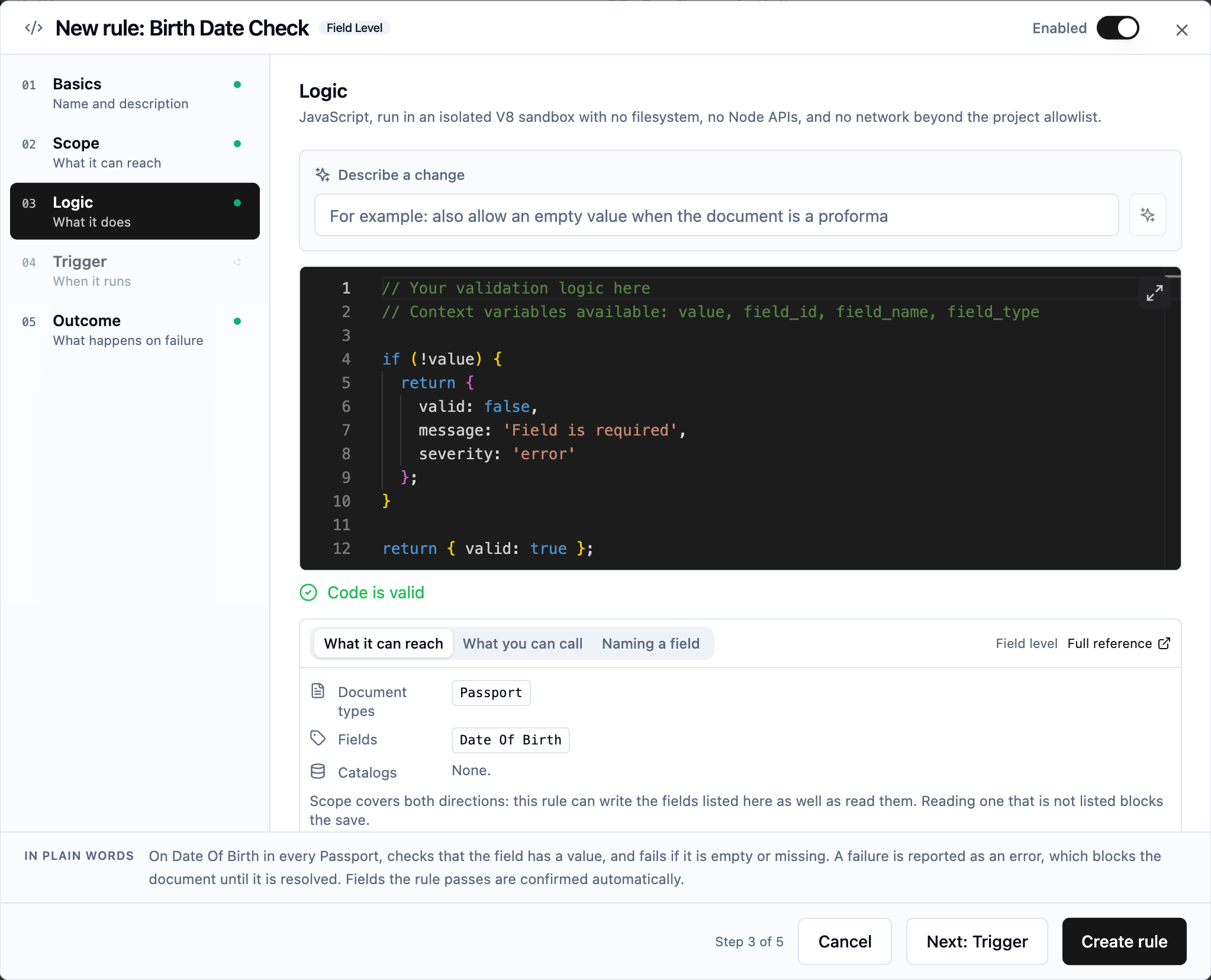
- ✓ A redesigned rule dialog: Basics, Scope, Logic, Trigger, and Outcome on one rail, with a plain-English sentence that always says what the rule does.
- ✓ Describe it, and Copilot writes the code: validation rules, data transformation scripts, and If and Switch conditions in the workflow. Presets still cover the standard cases; code now covers everything else, without writing it yourself.
- ✓ New Diacritic Normalization rule, and every text comparison in a preset now ignores accents on both sides.
- ✓ Performance measurement for the models you host yourself: token rates, the cost of a page image, and capacity under concurrency, in the same units the Performance Calculator uses, so you know how many deployments your volume needs.
- ✓ A new Security page under Manage: an overview of the controls in force, the tenant audit log with export and SIEM forwarding, the list of live sessions with the means to end one, and the Trust Center.
- Feature
Email and hotfolder import, views for the transaction list, and review thresholds
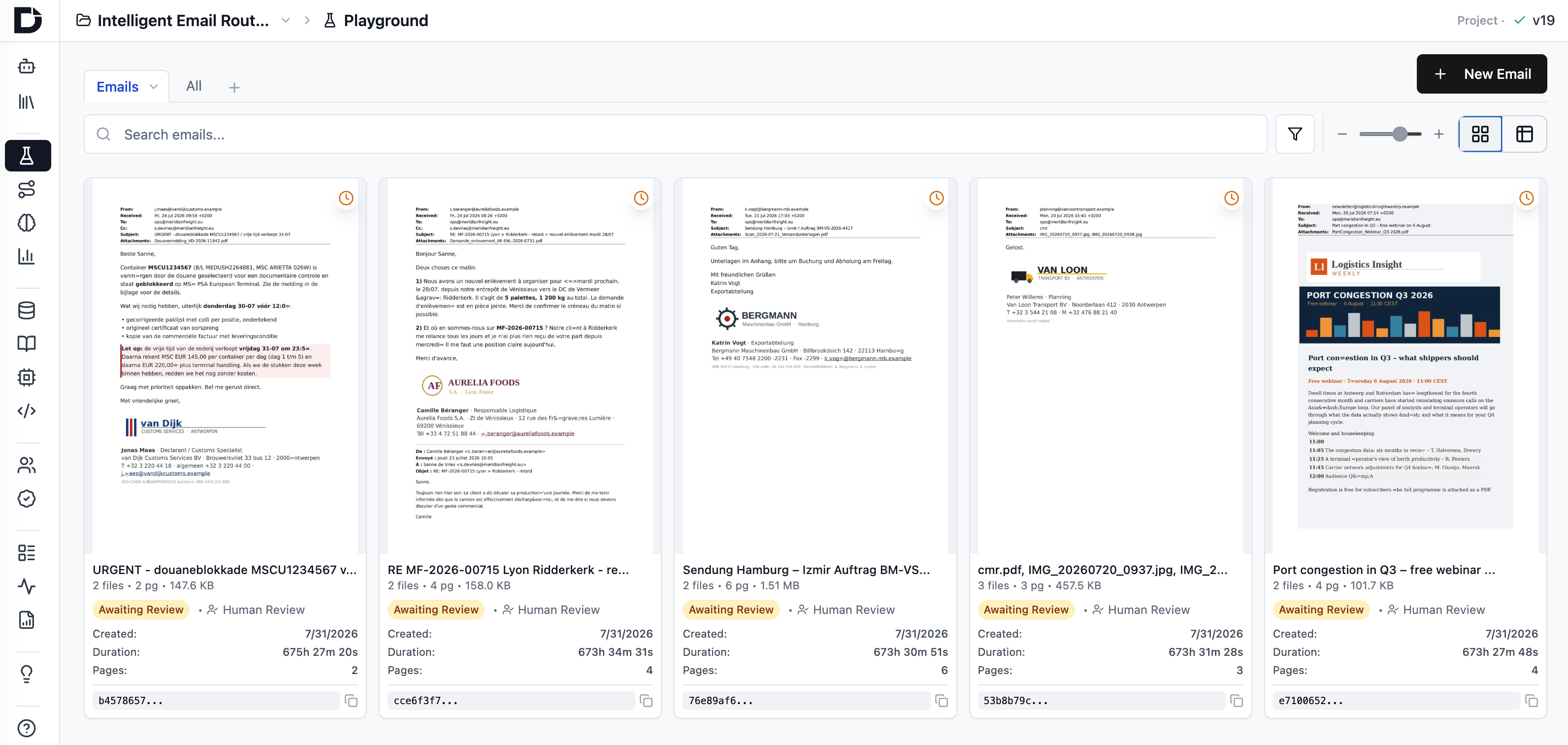
Bring documents in automatically from an email inbox or a watched folder, decide what the transaction list shows with saved views, set your own confidence thresholds for what needs a human look, and run monitoring, reporting, and the work queue across several projects at once.
 Watch the demo video
 - ✓ Import from email: Microsoft 365 through Microsoft Graph, or any inbox through IMAP. One email becomes one transaction, attachments included.
- ✓ Import from a hotfolder: drop files into a watched folder on a self-hosted deployment and they process automatically.
- ✓ Views for the transaction list: save your own columns, filter, and sorting, or publish a view for everyone on the project.
- ✓ Review thresholds: set the confidence levels for splitting, classification, and extraction that send a value to a human, and track issues left, issues before review, and issues corrected.
- ✓ Revised JSON and XML export schema that can also export the pre-review state, so you can analyze what reviewers changed.
- ✓ Monitoring, reporting, and My Work Queue now work across several projects at once.
- ✓ Digitally born PDFs reuse their own text instead of being sent through OCR.
- Feature
Archival PDF/A export, OCR data in exports, and a cleaner review screen
Export to archival PDF/A, get OCR words and image transforms in JSON and XML for bounding-box overlays, tidy up the review screen with collapsible groups and read-only or hidden fields, and build catalogs on the fly. The assistant can set all of it up for you.
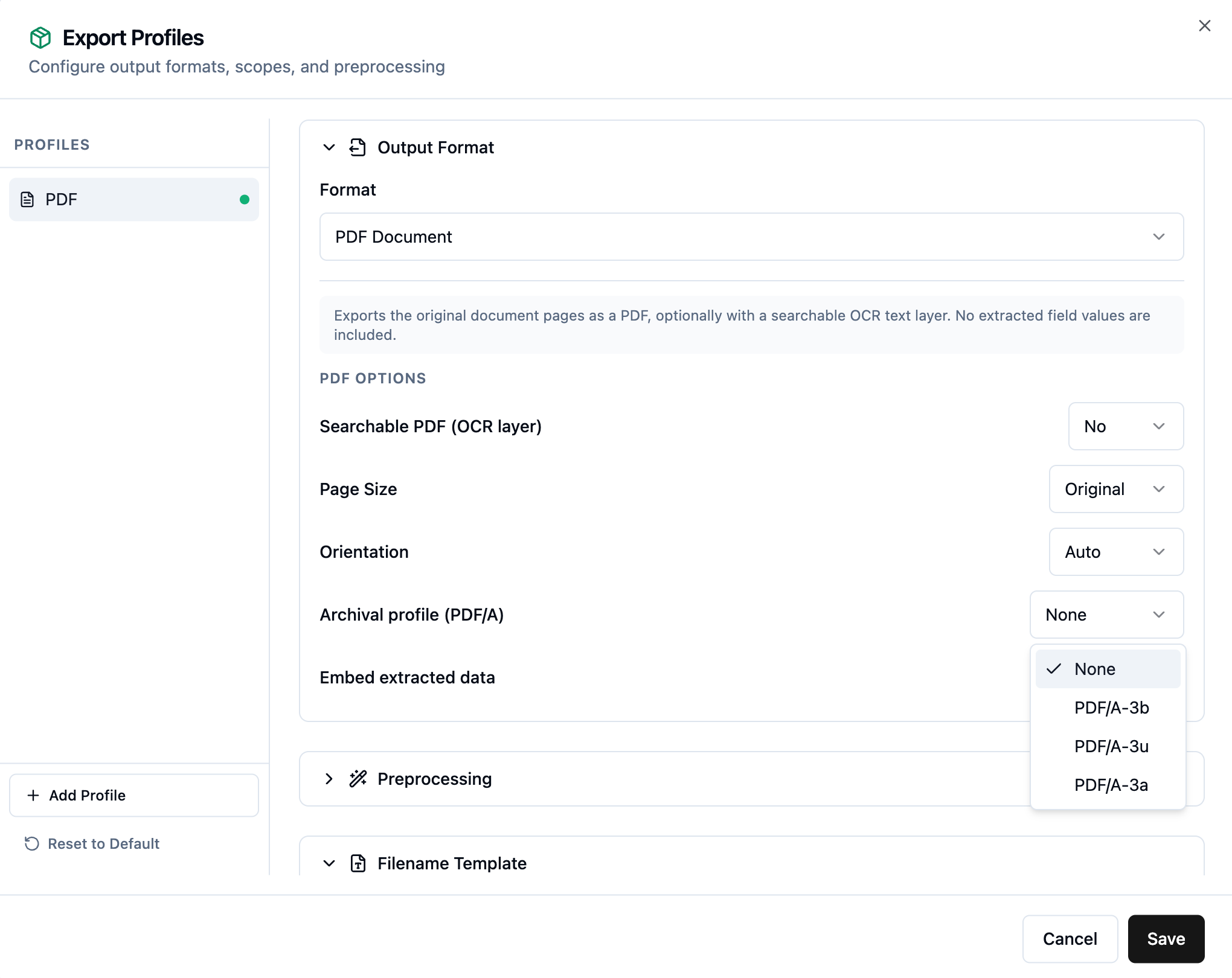
- ✓ New archival PDF/A export profiles: PDF/A-3a, PDF/A-3b, and PDF/A-3u for long-term document retention.
- ✓ OCR data is now available in JSON and XML, plus a new JPG export, with image transform info so you can overlay field and word bounding boxes on the original page.
- ✓ Cleaner review screen: field groups can start collapsed, and fields can be made read-only or hidden.
- ✓ Data transformation can add records to a catalog on the fly, so you can collect reference data as documents flow through.
- ✓ Self-hosted deployments get a system administration CLI and an assistant skill, so you can manage SMTP and find logs by asking your assistant.
- Feature
Transform data in your workflow, plus smarter catalog lookups
A new data transformation activity lets you clean up and reshape data before export, and catalog lookup rules gain filters, per-row matching, and assistant support.
- ✓ New data transformation activity: normalize and transform data, re-order pages, re-assemble documents, and assign document classes before export.
- ✓ The assistant can write the transformation logic for you.
- ✓ Catalog lookup rules can now filter on a field, so you can narrow a lookup to the right subset of records.
- ✓ Match line items to catalog records with per-row lookup rules, and let the assistant build and fill catalogs for you.
- Feature
A smarter assistant: better descriptions, workflow setup, and feedback
Improve your field and class descriptions with one click, let the assistant configure your project workflow, and help the assistant get better by rating its answers.
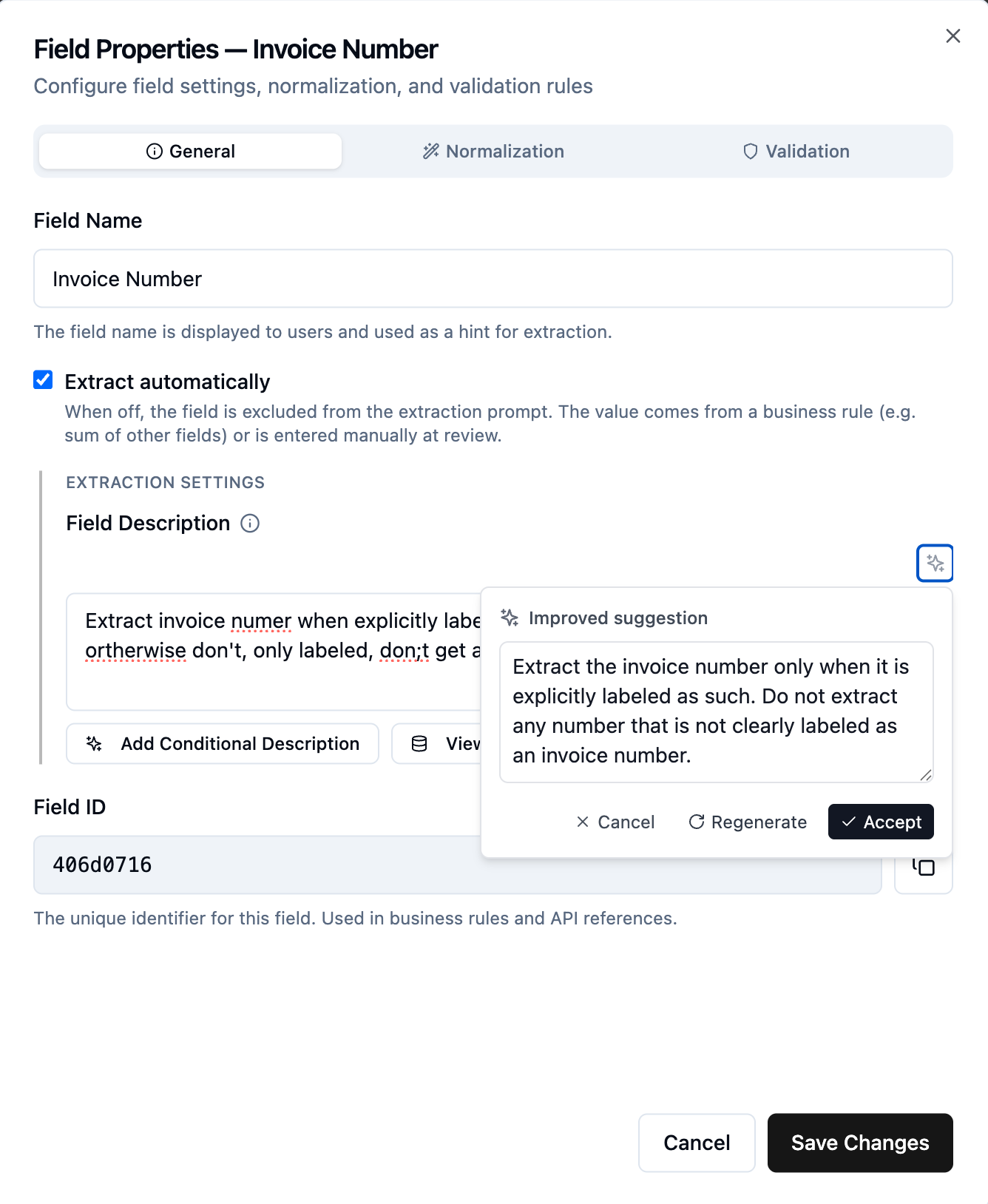
- ✓ One-click improve: clean up field descriptions, class descriptions, and split, classification, and extraction guidelines.
- ✓ The assistant can now do basic workflow setup: change split settings or add a review step for handling rejected transactions.
- ✓ Rate the assistant's answers up or down to tell us what works, and let its built-in skills guide you through project setup.
- Feature
Run DocAI Fabric on your own machine
Self-host the entire platform on a single machine with one Docker Compose file, even a laptop.
- ✓ Everything runs on one host: app, workflow workers, OCR engines, web UI, and the job queue.
- ✓ OCR runs locally with bundled engines: no cloud OCR, no document images leave your machine.
- ✓ Connect any OpenAI-compatible language model, your own GPU server or a cloud provider.
- ✓ All data lives in one folder, so backup and restore is a simple file copy.
- Feature
Assistant builds validation rules, plus trust and monitoring updates
The assistant can now create validation rules, new trust pages list our open-source components and data subprocessors, and a first version of monitoring and reporting is live.
- ✓ Ask the assistant to create validation rules, a step towards the assistant being the primary way to configure DocAI Fabric projects.
- ✓ New trust pages: every open-source component with its license, and the full list of data subprocessors.
- ✓ First version of monitoring and reporting, with quality reports and an audit trail on the roadmap.
- ✓ New support page linking documentation, security documents, and a feedback form.
- ✓ Fix: documents no longer stall when Azure content-filtering settings occasionally blocked processing.
- Feature
Capture documents with your phone
Add documents into processing straight from your phone, and integrate mobile capture into third-party systems.
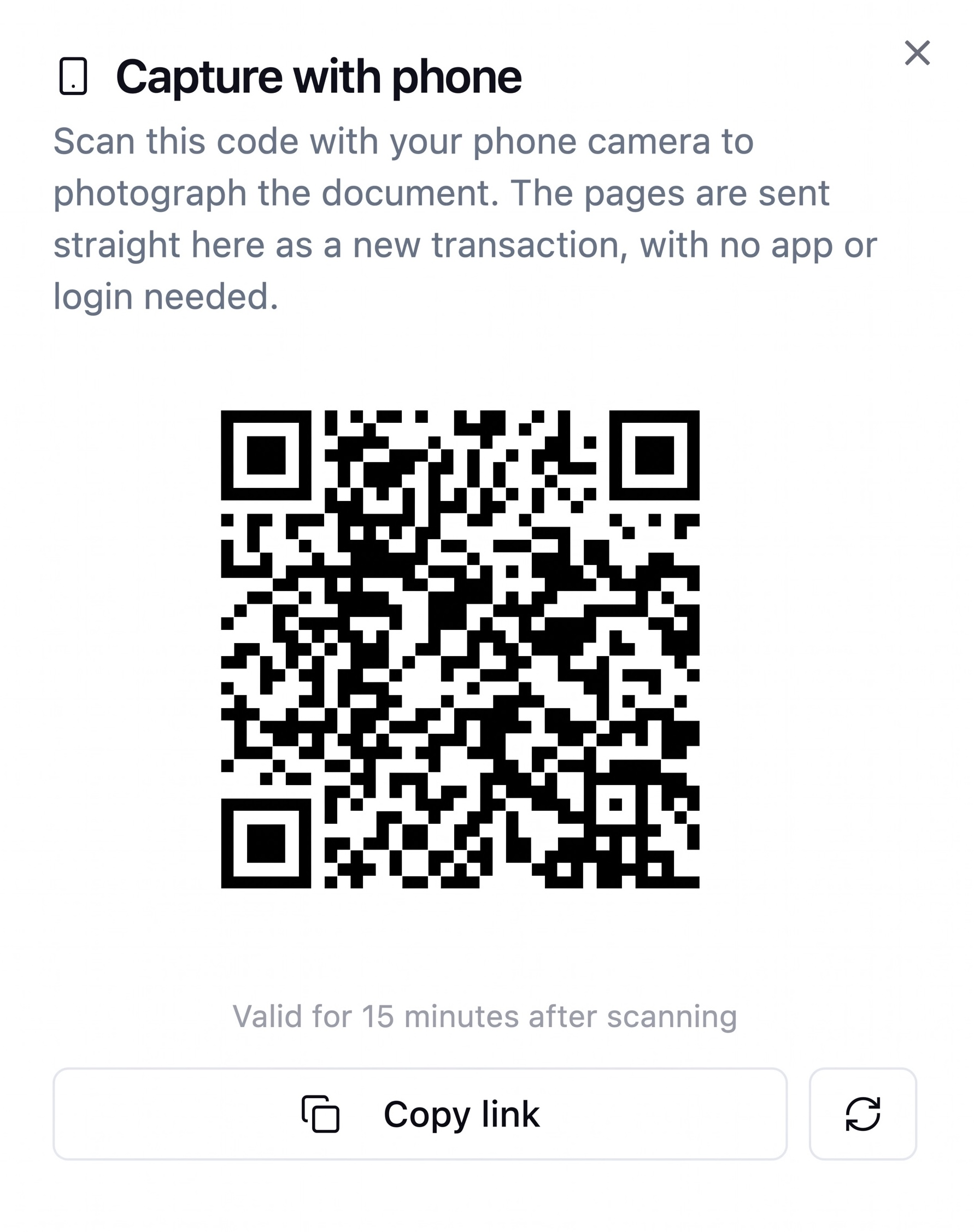
- ✓ Add documents into processing from your phone: scan the on-screen QR code, capture with the camera, done.
- ✓ Login-free for the person capturing, secured by a one-shot, time-limited capture token.
- ✓ Available to integrate into third-party systems, with interactive API examples.
- Feature
Barcode detection in the OCR step
Extract barcodes and QR codes during OCR, with hover-to-highlight in the viewer.
- ✓ Choose your engine: Microsoft (free Azure add-on), ZXing (local), or both, merged and de-duplicated.
- ✓ Per-page barcode results surfaced directly in the transaction viewer with hover highlighting.
- ✓ Off by default; enable it per node when you need it.
- Feature
Estimated cost and spend budgets
See estimated processing cost on the Usage tab and cap spend with per-tenant and per-project budgets.
- ✓ Estimated cost shown alongside volume on the Usage tab, always clearly labeled as an estimate.
- ✓ Set spend budgets at the tenant or project level over any period.
- ✓ Email alerts at threshold crossings, with an optional hard stop that pauses processing when a budget is reached.